BISP Check Balance Online by CNIC
For millions of families across Pakistan, the Benazir Income Support Programme (BISP) is a lifeline. It provides financial assistance to deserving households so they can meet everyday needs. But one question that comes up again and again is: how can someone do a BISP check balance online by CNIC? This guide walks through every method available — in a simple, friendly way — so that beneficiaries (and their family members) can verify payments without having to stand in long queues or make unnecessary trips to offices.
Does Balance Checking Matter?
The Benazir Income Support Programme, commonly known as BISP, is one of Pakistan’s largest social safety nets. Launched in 2008, the programme targets low-income and poverty-stricken households and delivers quarterly or bi-monthly financial payments directly to eligible women through their CNIC-linked accounts.
Knowing how to check BISP balance online by CNIC has become increasingly important because the programme has expanded significantly over the years. Millions of new beneficiaries are added in each survey cycle, and payment disbursement dates are not always communicated clearly at the grassroots level. By checking their balance independently, beneficiaries can stay informed and avoid being misled by middlemen.
Who Is Eligible to Check Their BISP Balance?
Anyone who has been registered under the National Socio-Economic Registry (NSER) survey and has received a confirmation of eligibility from BISP is entitled to check their balance. The check is directly linked to the beneficiary’s Computerised National Identity Card (CNIC), which means having a valid, active CNIC is essential before attempting any balance inquiry.
Method 1: BISP Check Balance Online by CNIC via the Official Web Portal
The most convenient way for many people to do a BISP check balance online by CNIC is through the official government portal. Here is a step-by-step breakdown of how this works:
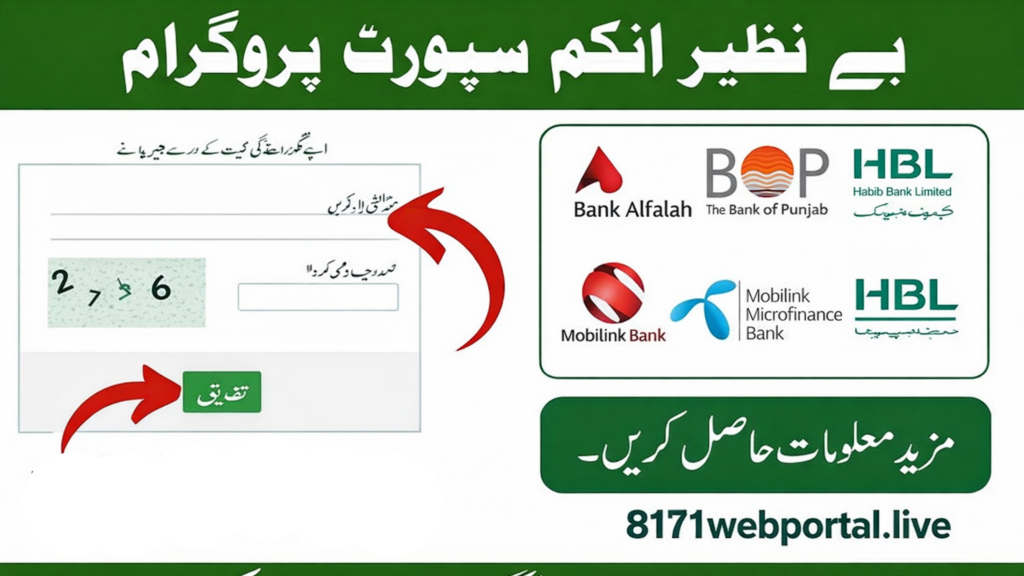
- Open any web browser on a smartphone or computer and go to the official website: bisp.gov.pk.
- Look for the section labeled “Beneficiary Status” or “Payment Inquiry” on the homepage.
- Enter the beneficiary’s 13-digit CNIC number in the provided field. Make sure to enter it without any dashes or spaces.
- Complete the CAPTCHA verification (if prompted) to confirm the request is being made by a real person.
- Click the “Submit” or “Check Status” button.
- The portal will display the current payment status, balance amount, and the most recent transaction date linked to that CNIC.
Information Displayed After an Online BISP Balance Check
Once a successful BISP check balance online by CNIC is completed on the portal, the following information is typically shown to the beneficiary:
| Information Field | Details Provided |
|---|---|
| Beneficiary Name | Name as registered on the CNIC |
| CNIC Number | Masked for security (last 4 digits shown) |
| Payment Status | Pending, Disbursed, or Not Eligible |
| Payment Amount | Amount in Pakistani Rupees (PKR) |
| Last Payment Date | Date of the most recent disbursement |
| Programme | Kafaalat, Taleemi Wazaif, etc. |
Method 2: Check BISP Balance by CNIC Through SMS (8171 Helpline)
For beneficiaries who do not have easy access to the internet, the SMS method is arguably the most accessible way to check BISP balance online by CNIC — or more accurately, offline by CNIC. This service is run through the 8171 helpline number, which is a dedicated government service for BISP queries.
How to Use the 8171 SMS Service
Here is how a beneficiary or their family member can use this method:
- Open the messaging app on any mobile phone (any network — Jazz, Telenor, Ufone, Zong, or Warid).
- Create a new SMS message.
- Type the 13-digit CNIC number of the registered beneficiary in the message body — no dashes, no spaces.
- Send this message to 8171.
- Wait a few moments. An automated reply will arrive containing the beneficiary’s BISP payment status and available balance details.
This service is available 24 hours a day, 7 days a week, and the reply is typically received within a few minutes. It is completely free of charge for all Pakistani mobile networks.
Method 3: BISP Balance Check via the NSER or Ehsaas App
The Government of Pakistan has also developed mobile applications — including the Ehsaas app — which allow beneficiaries to check BISP balance by CNIC directly from a smartphone. This is particularly useful for urban users or younger family members who manage inquiries on behalf of elderly beneficiaries.
Steps to Check Balance Through the Ehsaas/BISP App
- Download the official Ehsaas Programme or BISP app from Google Play Store or the Apple App Store.
- Install the app and open it.
- Select the “Check Payment Status” or “Beneficiary Inquiry” option from the main menu.
- Enter the registered beneficiary’s CNIC number.
- Tap the “Check” button and wait for the result to load.
The app displays real-time data pulled directly from the BISP database, making it one of the most reliable tools for a quick BISP check balance online by CNIC on the go.
Method 4: Visiting a BISP Payment Center or Tehsil Office
For beneficiaries who are not comfortable with technology, there is always the option of visiting a nearby BISP Tehsil Office or Payment Center. By presenting their original CNIC, they can request staff members to run a BISP balance check by CNIC on their behalf. This method is especially recommended for first-time beneficiaries or those who have recently been added to the programme.
What to Bring When Visiting a BISP Office
Before heading to the office, a beneficiary should make sure to bring the following documents:
- Original CNIC (Computerized National Identity Card)
- A photocopy of the CNIC for office records if required
- Any previous BISP payment slip or documentation
- Contact number for follow-up communication
Common Issues Faced When Trying to Check BISP Balance Online by CNIC
Many beneficiaries report running into certain problems when trying to check their BISP balance online by CNIC. Understanding these issues in advance can save a great deal of time and frustration.
1. CNIC Not Registered or Not Found
If the system shows “CNIC not found” or “not registered,” it typically means one of two things: either the beneficiary has not been included in the NSER survey, or the CNIC was entered incorrectly. Double-checking the CNIC number before submission is always a good habit.
2. Payment Status Showing “Pending”
A “pending” status after a BISP check balance online by CNIC usually means the payment has been approved but has not yet been disbursed to the payment point. Beneficiaries in this situation are advised to check back after a few days or contact the 8171 helpline for more information.
3. Website Not Loading or Server Errors
Since the BISP portal serves millions of users, it can sometimes experience high traffic leading to slow load times or temporary server errors. In such cases, the SMS method via 8171 is the fastest alternative for checking BISP balance by CNIC.
4. CNIC Expired
An expired CNIC can sometimes cause verification failures. Beneficiaries are strongly encouraged to renew their CNIC through NADRA before attempting a balance check, as outdated identity documents may not be recognized by the system.
How Often Are BISP Payments Disbursed?
Under the Kafaalat programme — which is the flagship cash transfer arm of BISP — payments are typically disbursed on a quarterly or bi-monthly basis. The amount per payment cycle has been updated multiple times in recent years as the government works to increase financial assistance to match inflation. As of the most recent programme updates, eligible beneficiaries were receiving PKR 10,500 per quarter.
Because payment cycles can vary, regularly doing a BISP check balance online by CNIC is one of the best ways for beneficiaries to stay on top of their disbursement status without relying on word-of-mouth information that may not always be accurate.
Frequently Asked Questions About BISP Check Balance Online by CNIC
Can someone check another person’s BISP balance using their CNIC?
The BISP portal and the 8171 SMS service provide balance and payment status information to anyone who submits the relevant CNIC number. However, this is intended strictly for beneficiaries and their immediate family members to help those who may not be tech-savvy. Misuse of someone else’s CNIC for fraudulent purposes is illegal and punishable under Pakistani law.
Is there a charge for using the 8171 SMS helpline?
No. The 8171 helpline is provided completely free of charge by the Government of Pakistan. Beneficiaries across all networks — Jazz, Telenor, Ufone, Zong, and Warid — can send their CNIC number to 8171 without any SMS charges deducted from their balance.
What should a beneficiary do if the balance shown online does not match what they received?
If there is a discrepancy between the online BISP balance check by CNIC and the amount actually received, the beneficiary should immediately contact the 8171 helpline or visit the nearest BISP office. They should bring all payment slips and their original CNIC to help the staff investigate the issue promptly.
How long does it take to verify a CNIC on the BISP portal?
If the portal is functioning normally, the BISP check balance online by CNIC process takes less than a minute. The system fetches real-time data from the BISP database, so results are usually accurate and up-to-date at the time of inquiry.
Tips to Protect Your CNIC and BISP Account Information
With the growing availability of online services, it is equally important that beneficiaries protect their CNIC information from misuse. Here are some practical safety tips:
- Never share your complete CNIC number with unauthorized individuals or agents claiming to offer “BISP registration services.”
- Only use the official BISP portal (bisp.gov.pk) or the official 8171 number for any balance inquiry.
- Do not click on unverified links sent via WhatsApp or SMS claiming to redirect to the BISP website — these may be phishing attempts.
- If anyone demands payment in exchange for “faster” BISP registration or balance disbursement, report them immediately to the BISP helpline.
Final Thoughts
Knowing how to perform a BISP check balance online by CNIC empowers beneficiaries to take control of their own financial information. Whether it is through the BISP web portal, the 8171 SMS service, the Ehsaas mobile app, or a physical office visit, there are now multiple accessible channels for anyone to verify their payment status quickly and securely.
The goal of making these services available online is to reduce dependency on middlemen and ensure that every eligible Pakistani household receives the support they are entitled to — without delays, without confusion, and without unnecessary travel. Regularly checking BISP balance by CNIC is a small habit that can make a big difference in ensuring financial transparency and peace of mind for thousands of families.
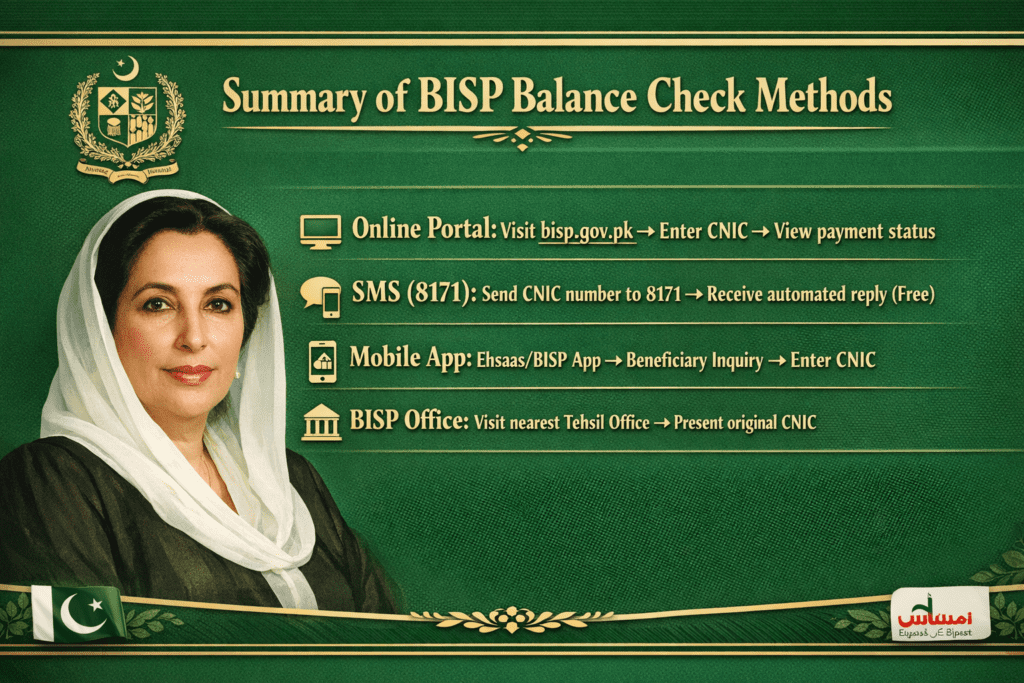
1. Online Portal: Visit bisp.gov.pk → Enter CNIC → View payment status
2. SMS (8171): Send CNIC number to 8171 → Receive automated reply (Free)
3. Mobile App: Ehsaas/BISP App → Beneficiary Inquiry → Enter CNIC
4. BISP Office: Visit nearest Tehsil Office → Present original CNIC